Total Pageviews

Thursday, 24 September 2020

Aesthetic iOS 14 Home screens highlight current customization limitations

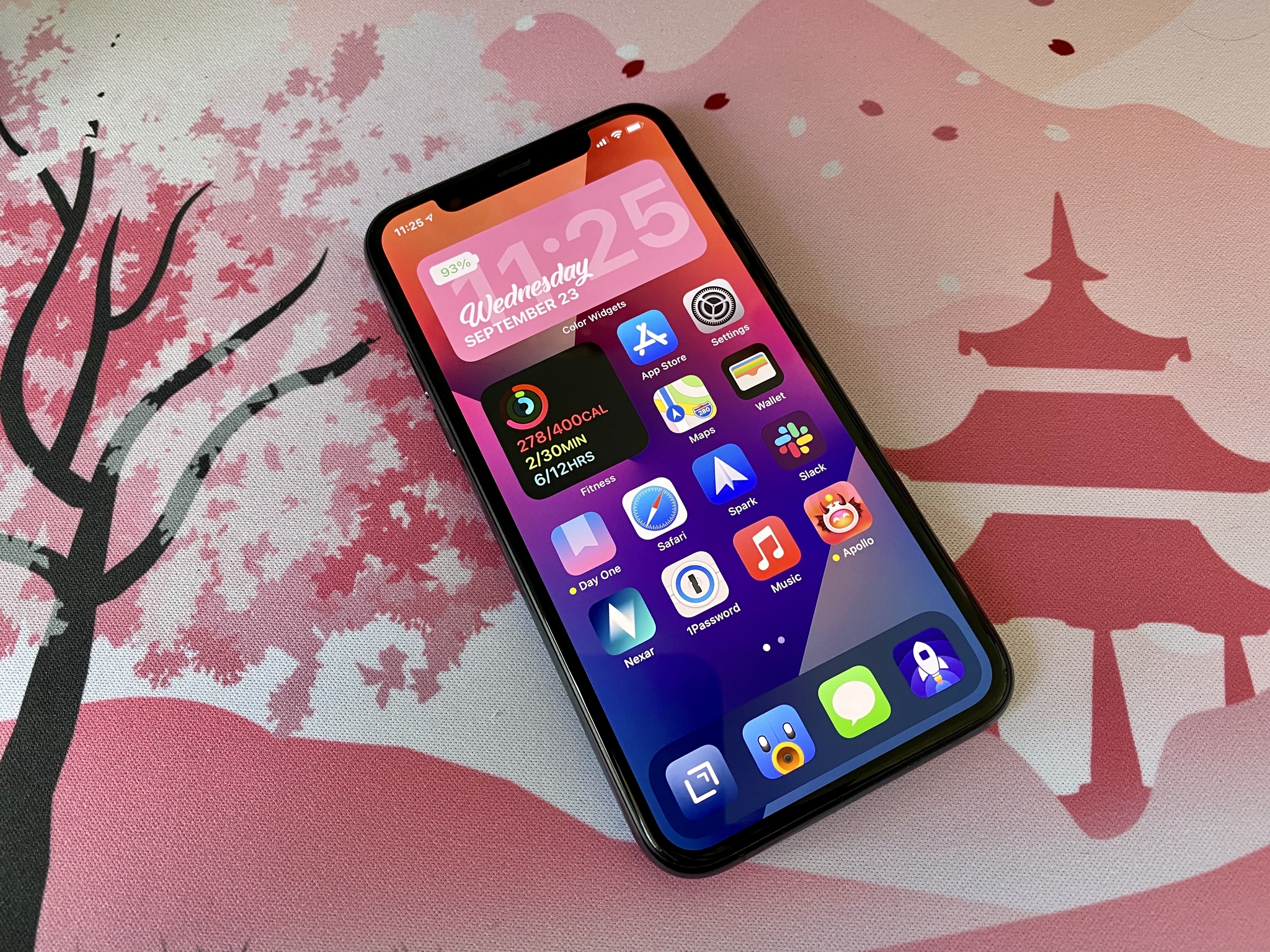
Thanks to iOS 14, you can now customize your Home screen as you see fit.

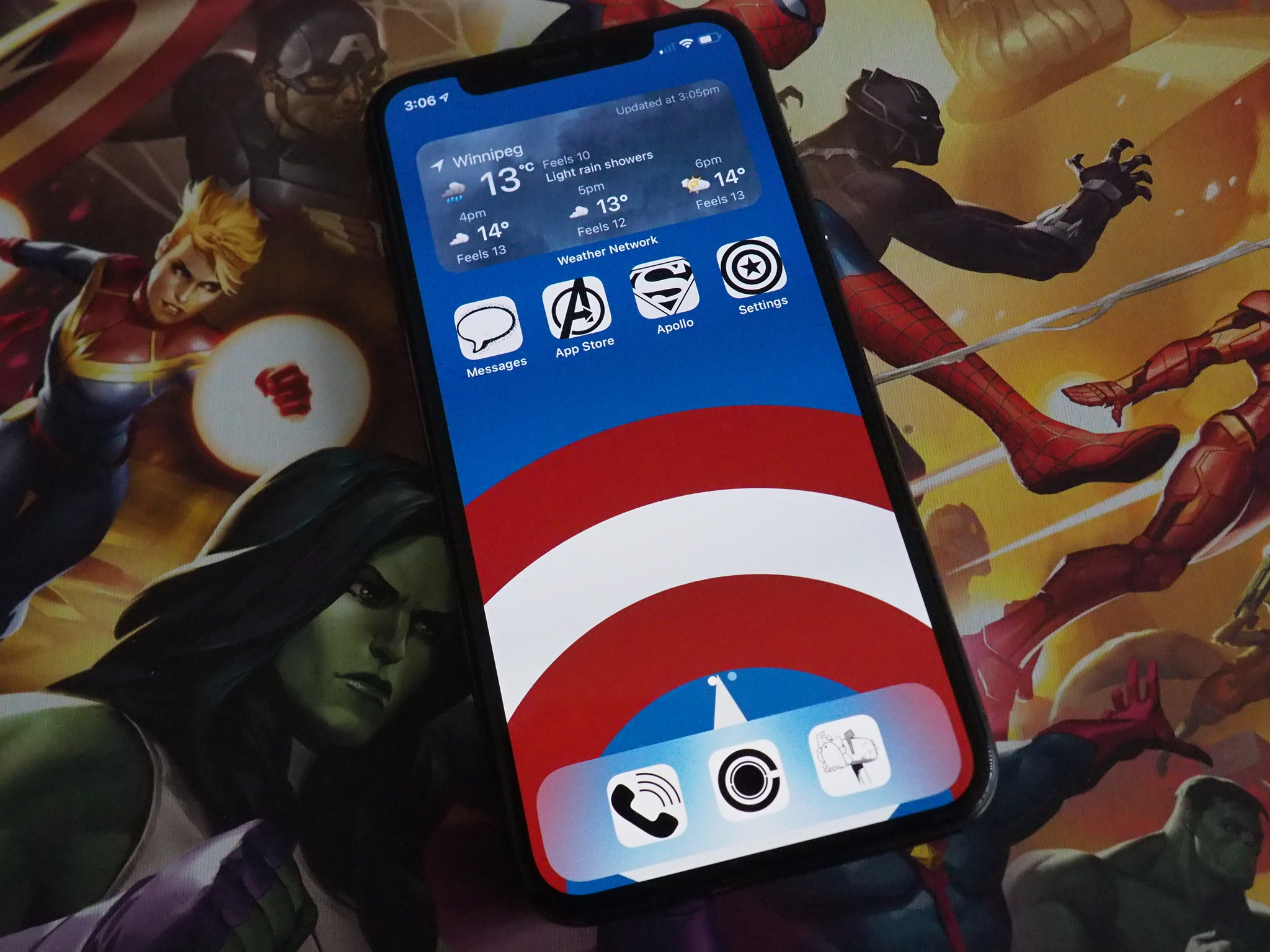
Apple released iOS 14 to the masses just a little over a week ago, which is full of many great new features, but it has unleashed a whole new beast with iOS 14 Home screen customization. Even the average person, who is not always in tune with the tech world, has a growing interest in updating their iPhone to iOS 14 because they want to make it "aesthetic AF."

In fact, Pinterest broke its daily download record because people want inspiration for iOS 14 Home screen aesthetics, and others are getting rich quick by making and selling icon sets for iOS 14. And this has all happened in just one week (as of this writing).

Thanks to iOS 14, Apple certainly has given users much more freedom in terms of customizing their devices, much like how Android has been doing for years. However, the current implementation also highlights the limitations, making the entire experience a tarnished one that I honestly don't really care for.

iOS 14 reinvents the Home Screen
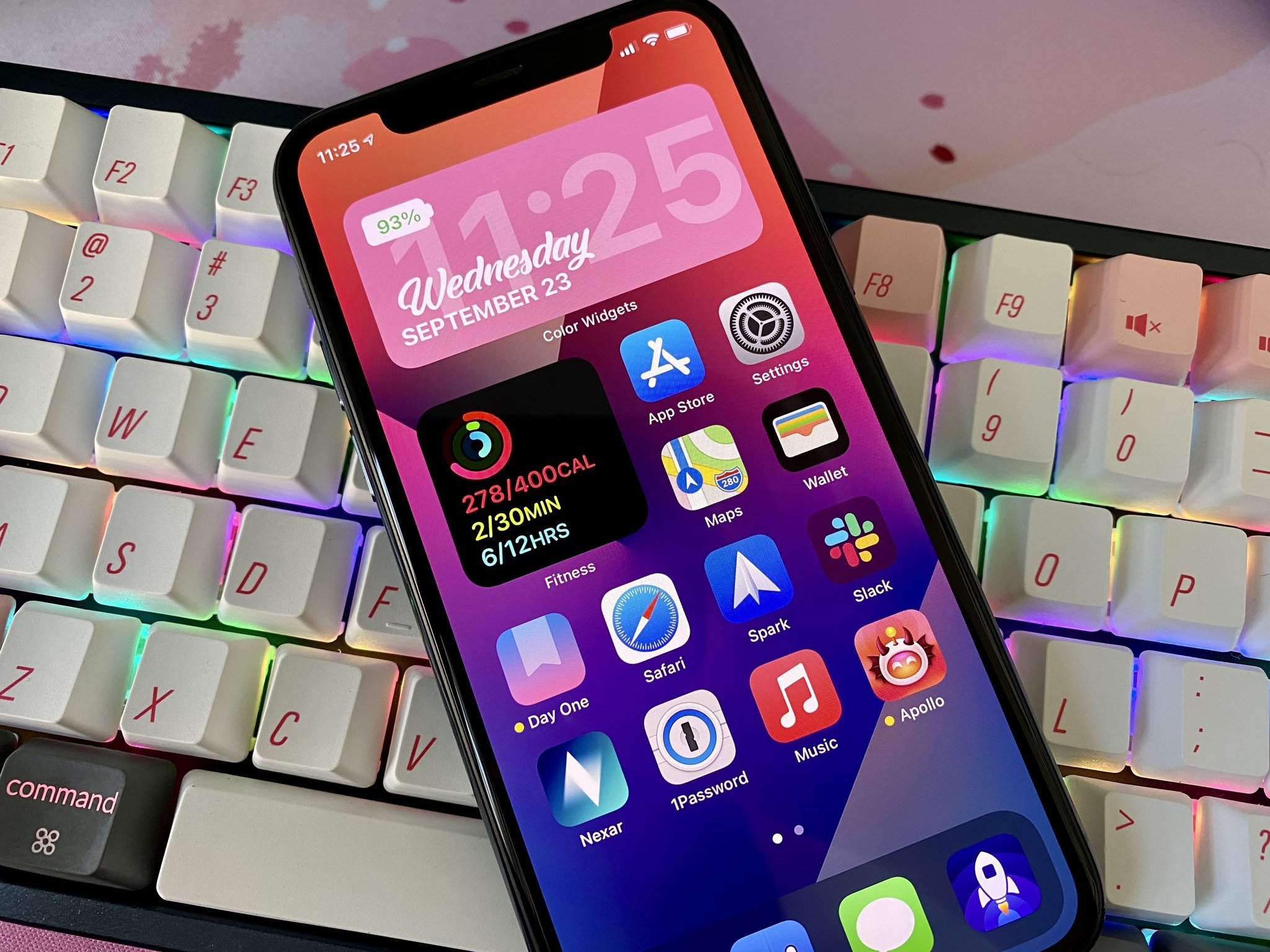
Back when Apple showed off iOS 14 at WWDC 2020, I was ecstatic for the Home screen changes. For years, I kept pretty much the same Home screen, with maybe a few changes on what apps showed up on my first page from time to time. But I was excited to finally be able to have widgets on the Home screen, like Android has had for years, while also eliminating a handful of pages with random apps thanks to the App Library.

Now that iOS 14 is out, I've changed up my iPhone workflow drastically by getting rid of a few apps, hiding all app pages beyond the first page and using just the App Library, and putting a few widgets on my Home screen. My page one has a medium Smart Stack, the small Fitness widget, and my most-used apps. On the second page, I simply have a large Apollo widget for my Home feed and a medium Siri App Suggestion widget.

I made these changes because, for me, it just works. I wanted widgets because it gives me information at a glance, and honestly, it spices up the Home screen enough for me. And if I want to get to an app, it's just a tap away, and boom — I'm in the app.

The new trend of iOS 14 Home screen aesthetics is something I never expected to see, truth be told. I just don't have the time to think about what "a e s t h e t i c" I want my iPhone to have, aside from the wallpaper. Once I have settled on a theme, I need to go download some widget making apps and tinker around with them to get the right information, color, font, and maybe a background image while I'm at it. Oh, and don't forget some inspirational quotes and other things, which may end up just cluttering your phone — the sky's the limit here. And make sure you have the right set of custom app icons to go with your personalized widgets.

While I have seen some cool iOS 14 Home screen "lewks," I have also seen some...uh, rather unpleasant ones (to me, anyway, as this is all subjective) as well. Honestly, this whole fad of customizing themes is just not for me — I like Apple for the simplicity, and if I wanted to customize to this extent, I would have just used an Android phone. But hey, whatever floats your boat — if you enjoy the customization options in its current state, by all means, go for it! But it also shows the crippling limitations that Apple needs to improve on.

The limitations of customizing an iOS 14 Home screen
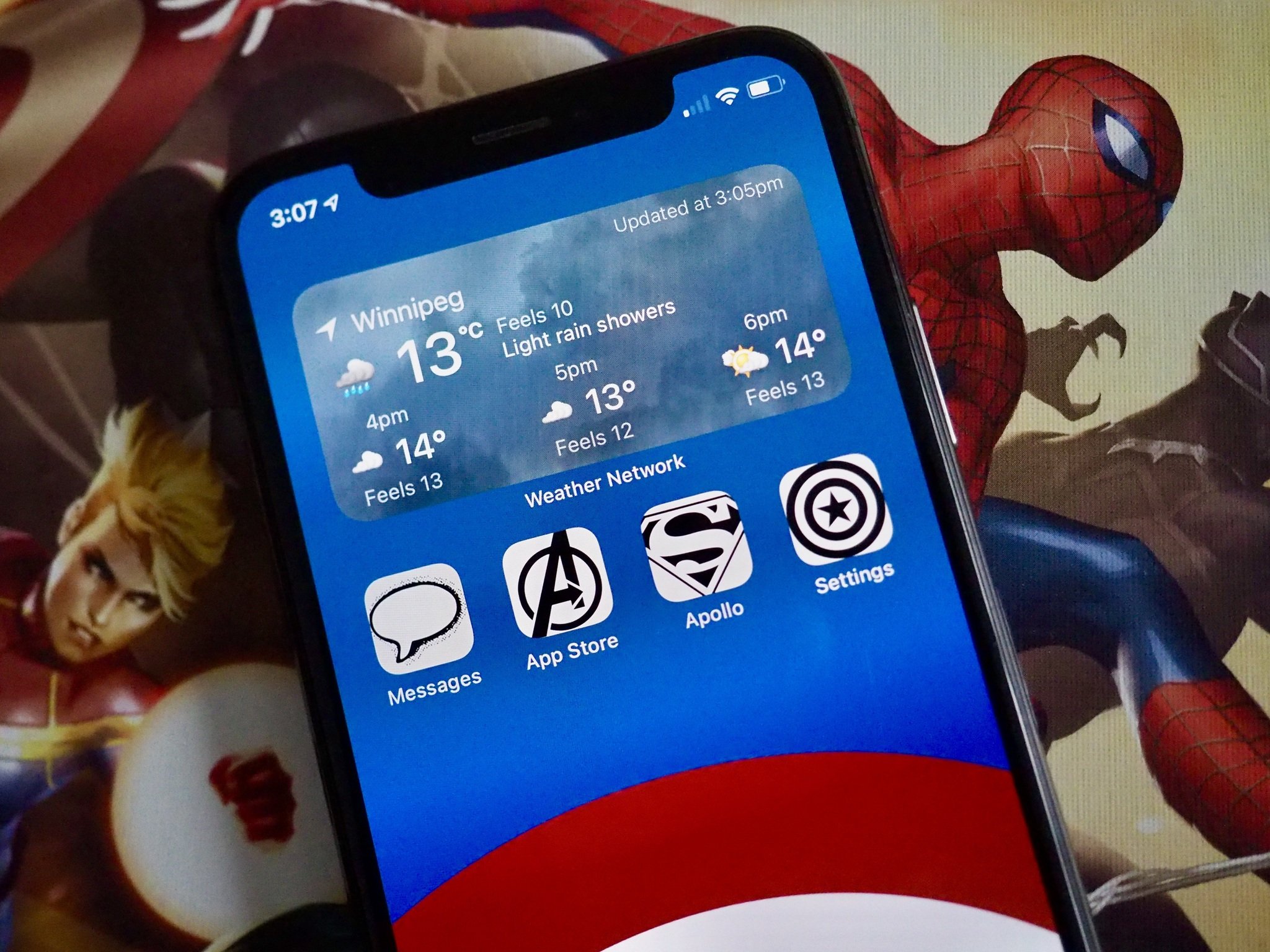
Really, it's great to see more customization options for iOS users. It further closes the gap between iOS and Android, and that's always a good thing. But there are also some significant crutches to how iOS deals with customization.

First of all, widgets — they merely display information for quick glances, but there is no interaction with them. Why? The widgets from previous iOS versions, where you could only have them in the "Today View," allowed for some interaction. Right now, widgets offer no interaction, so if you need to do more than just look at them, it just launches the app. Yeah, sure, this static element works great for those "kewl aesthetic lewks," but if you wanted widgets to have a practical purpose, they fall short.

And the one that annoys me the most is how one is supposed to get custom app icons. You need to use scripting in the Shortcuts app for every single individual app that you want to change the icon for. Yes — Every. Single. App.

I really don't have time for all that, you guys. But make sure you have that perfect set of icons first. And since these icons are done through Shortcuts, that means two things: you can no longer have the notification badge icon on them, and Shortcuts has to open up before you get to your selected app. It may only be a few seconds, but it definitely slows down the workflow since it's an extra step. An extra step just for the "lewk."

Yes, those custom iOS 14 Home screens can really look awesome, but Apple's limitations on widgets and custom app icons taint the experience. Personally, I just don't find customization worth the hassle right now.

A step in the right direction for custom Apple Watch faces?
Even though it's not for me, it's great to see what people can come up with. Some of the themes I've seen are cool, and I do love good icon sets — I just don't have the patience for it myself. Plus, with this boom of customized Home screens, perhaps Apple can see that customization is something many folks want, and make improvements on in the future. Like really, is it so much to ask for a way to upload a custom icon into the settings or something?

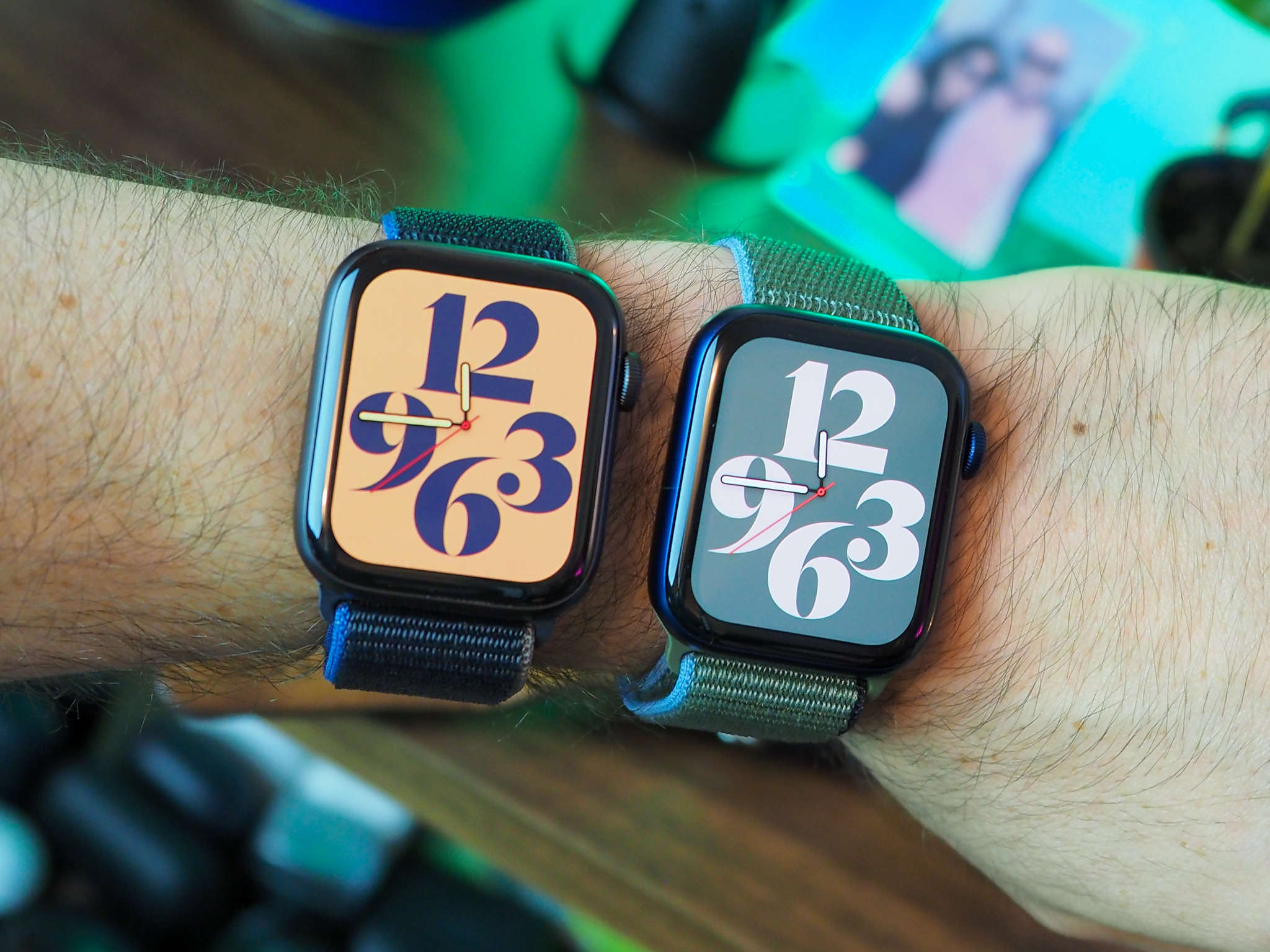
One thing that I hope comes sooner rather than later is the ability to customize Apple Watch faces. I would much rather have the ability to customize my Apple Watch rather than my iPhone Home screen, and I've seen some cool faces that people have created to resemble things like Star Trek communicators, and just display things like programming code. It took 14 iterations of iOS for customizable Home screens without jailbreaking, so maybe custom watch faces are a few years off — shrug.

Do you care about your iOS 14 Home screen aesthetic?

What do you think about the "aesthetic AF" iOS 14 Home screen trend? Did you customize your Home screen to look super cool? Share them in the comments!


from iMore - The #1 iPhone, iPad, and iPod touch blog https://ift.tt/3cuzbyL
via IFTTT

Achieve "aesthetic AF" Home screen bliss with these widget-making apps

These apps help you make those "aesthetic AF" widgets.

With iOS 14, Apple gave us many improvements: widgets on the Home screen, the App Library, automations in shortcuts, and so much more. But one iOS 14 seems to have taken off more than the rest, and that is widgets on iPhone. Since you can now have widgets on your Home screen (at least on the iPhone, sorry iPad users), a few developers have created widget making apps that let users create their own custom widgets, which can be paired perfectly with custom Home page icons. All of this, when combined, can make your iPhone Home screen "aesthetic AF," according to the latestTikTok viral trend (I'm too old for this).

Here are some of the best widget maker apps out there, so you can get widgets on your iPhone just as you want them!

Widgetsmith

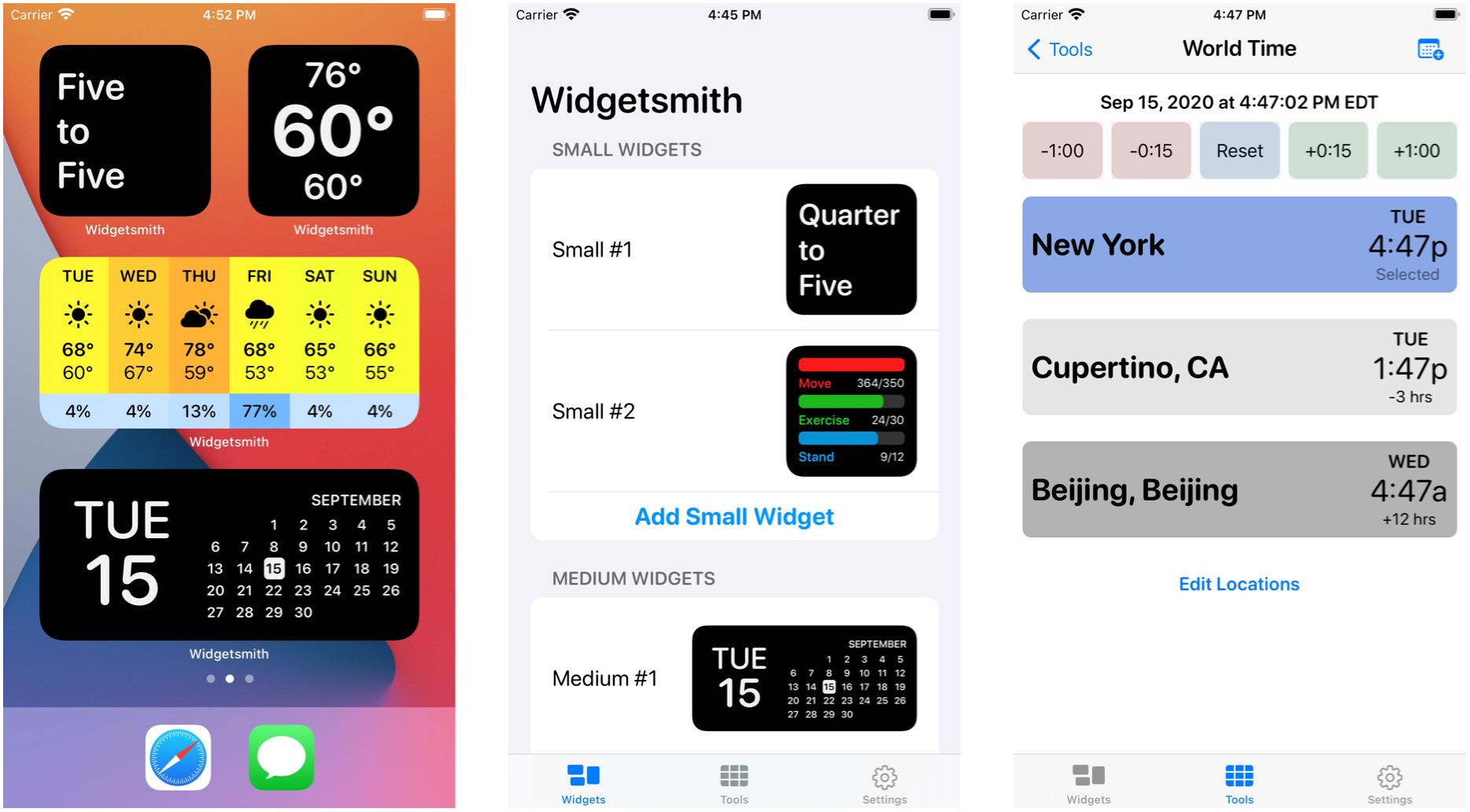
Widgetsmith is made by David Smith, the same developer behind other apps like Watchsmith, Sleep++, and Pedometer++. Widgetsmith also appears to be the first widget-making app that went viral on TikTok, as TikToker katamogz talked about Widgetsmith making your iOS 14 "aesthetic AF,"setting off the trend of highly customized home screens.

In Widgetsmith, you start with three different sized widgets, which you can customize to your liking. Customizations include functions like date, time, weather, astronomy, and more. Every single function can be fine-tuned for your desired functionality and appearance. All of the widgets that you create in Widgetsmith can be dynamically scheduled to appear on your Home screen based on rules that you define. For example, you could have a weather widget show up in the morning when you wake up, then a calendar as your work day begins, and then switch to your Activity rings when work ends and you want to get some exercise in.

There are a ton of tools in Widgetsmith that are there to help you create the perfect widgets on your iPhone Home screen. The interface is not the prettiest, but the possibilities are endless with Widgetsmith.

Widgetsmith

Free with in-app purchases

Widgetsmith offers a ton of tools to help you create the most aesthetic Home screen widgets ever.

Color Widgets

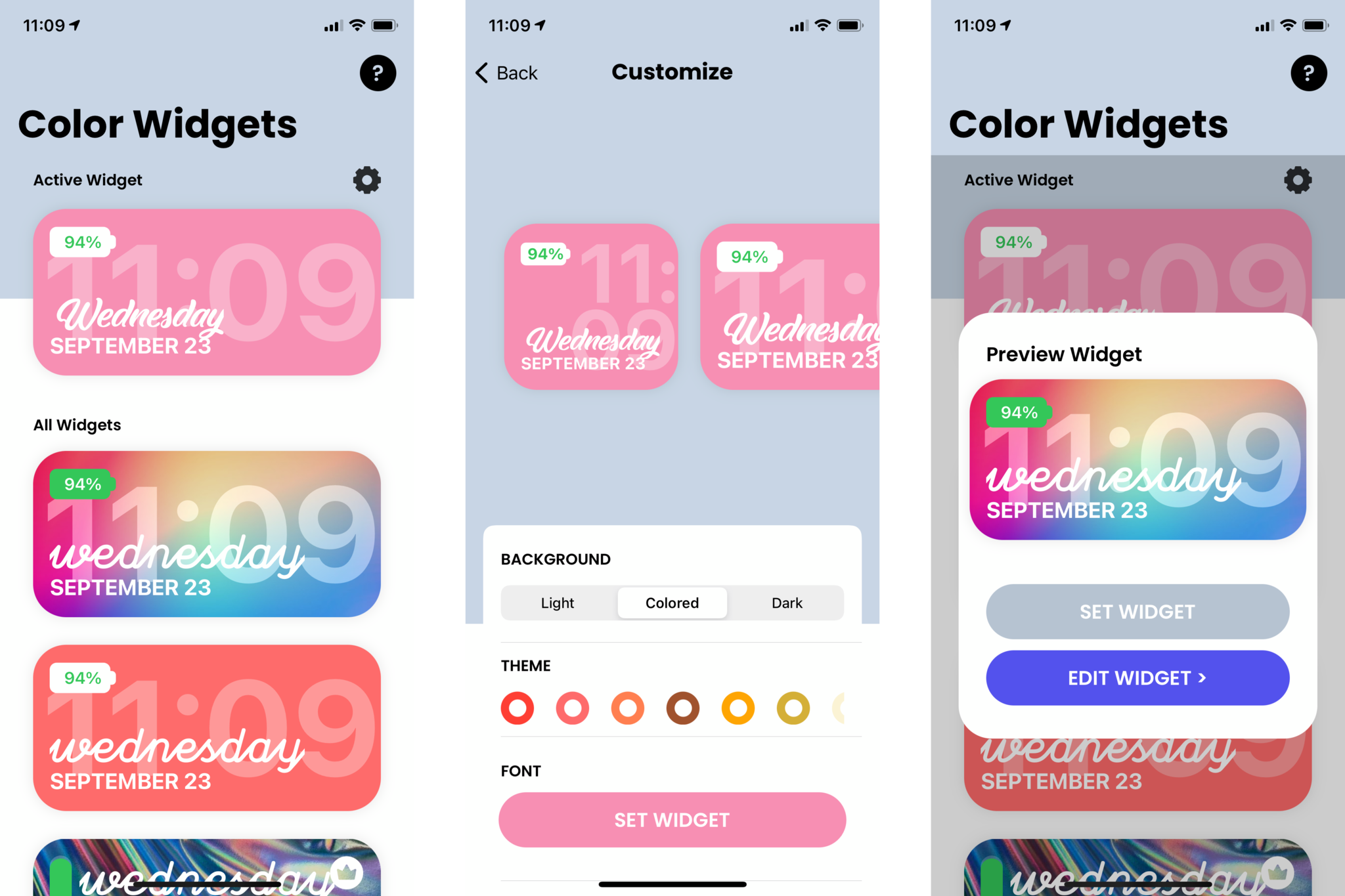
The problem with Widgetsmith is that it doesn't have the most user-friendly interface when it comes to creating widgets. If you want something that's easier to work with, then Color Widgets could be better suited for you.

Color Widgets has many different premade widget designs that are stylish and colorful, but you can still make your own if that's what you want. Even the premade widget designs can be personally customized to your liking since you can change fonts, theme colors, and even the background color. Your widgets can be up and running on your Home screen in seconds.

Color Widgets

Free with in-app purchases

Choose from hundreds of premade widgets or customize your own, then get them on your Home screen in seconds.

Widgeridoo

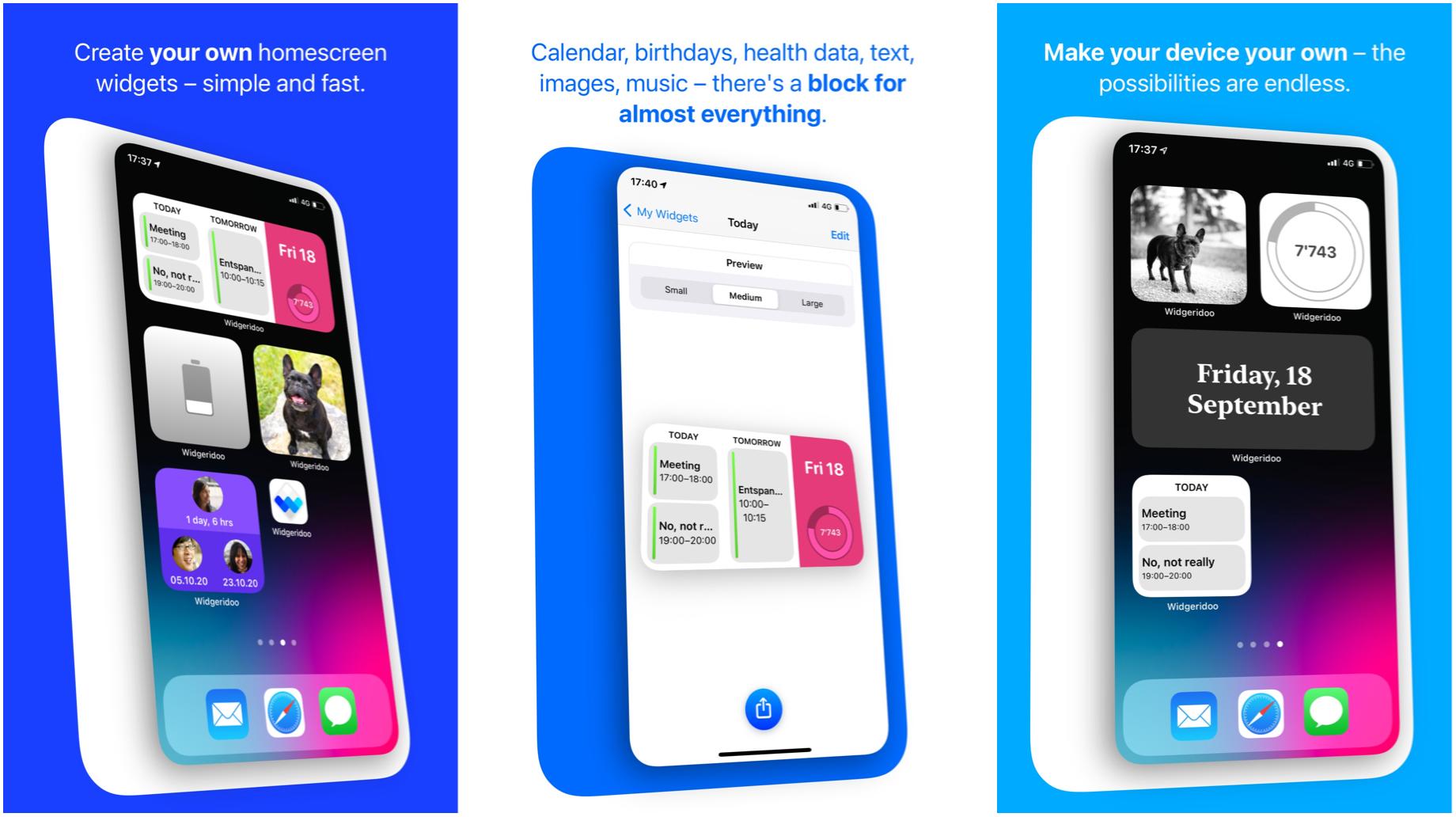
If you want to go for practical information in your widgets on iPhone, rather than just some style, then Widgeridoo could be what you need. With Widgeridoo, you have the freedom to combine different blocks of information into a single widget where you can also choose the size of each block. Widgeridoo can display the following bits of data: calendar events, birthdays, text and images, dates and countdowns, Health data, websites via JSON, battery percentage, and more. You can also change things like colors for your blocks if you want to add some stylish flair.

Widgeridoo is free to download, but you will need to upgrade if you want all of the features.

Widgeridoo

Free with in-app purchases at App Store

Create your own custom widgets with blocks of useful data.

OneWidget

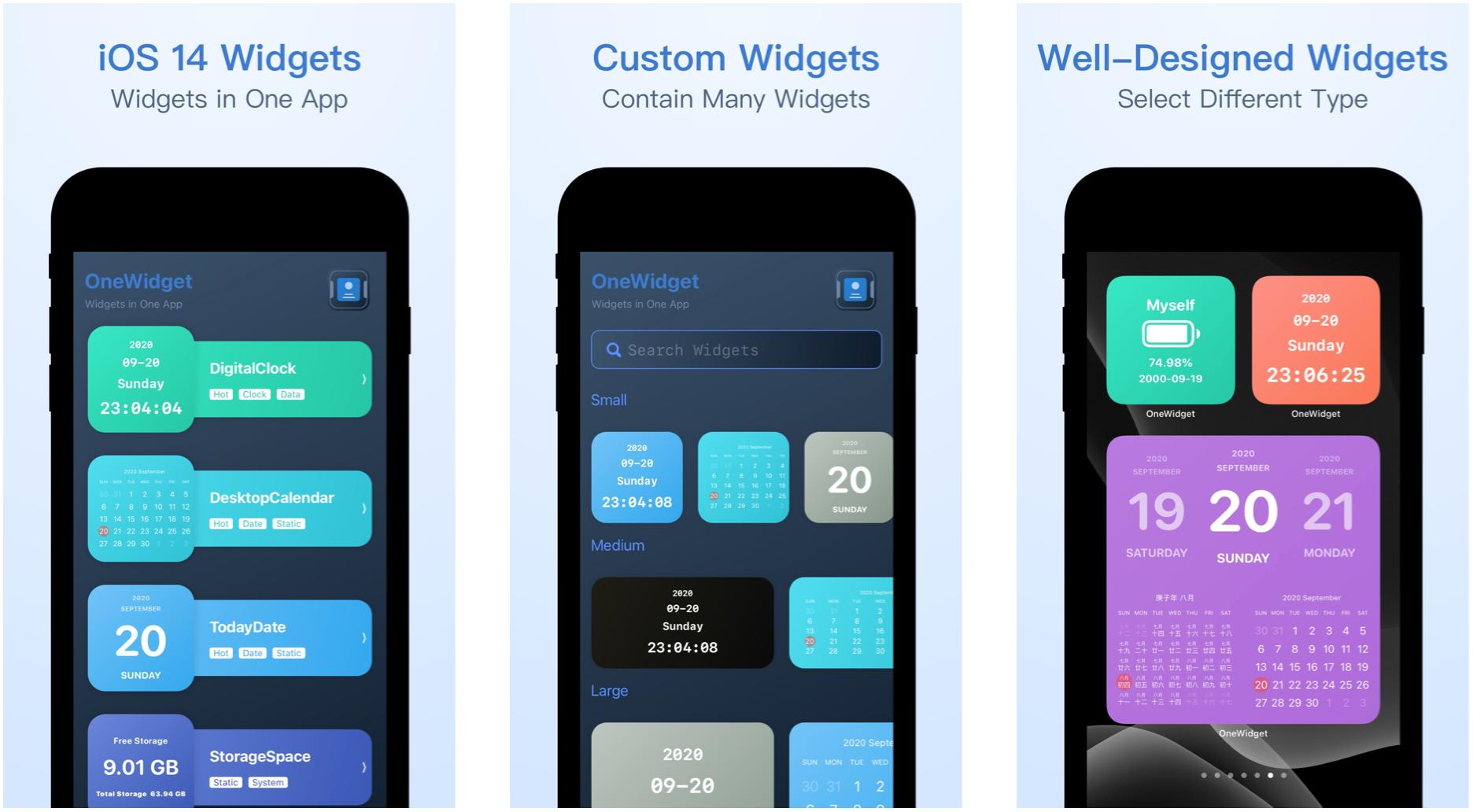
OneWidget is the latest contender in the widget making app space, but this one certainly looks promising. You'll find a wide variety of well-designed widget templates in OneWidget, and you can customize them as you see fit. Functions that can be in OneWidget widgets include clock, date, system information, reminders and todos, desktop calendar or agendas, life counters, and more. Your widgets can have up to four functions in one, and everything about them can be customized, including colors and style. And if you're unsure of what the widget will look like on your Home screen, you can preview it in the app before committing.

OneWidget

$1 at App Store

OneWidget lets you add several different functions in a single widget block, and you can tweak them as you see fit.

Widget Wizard

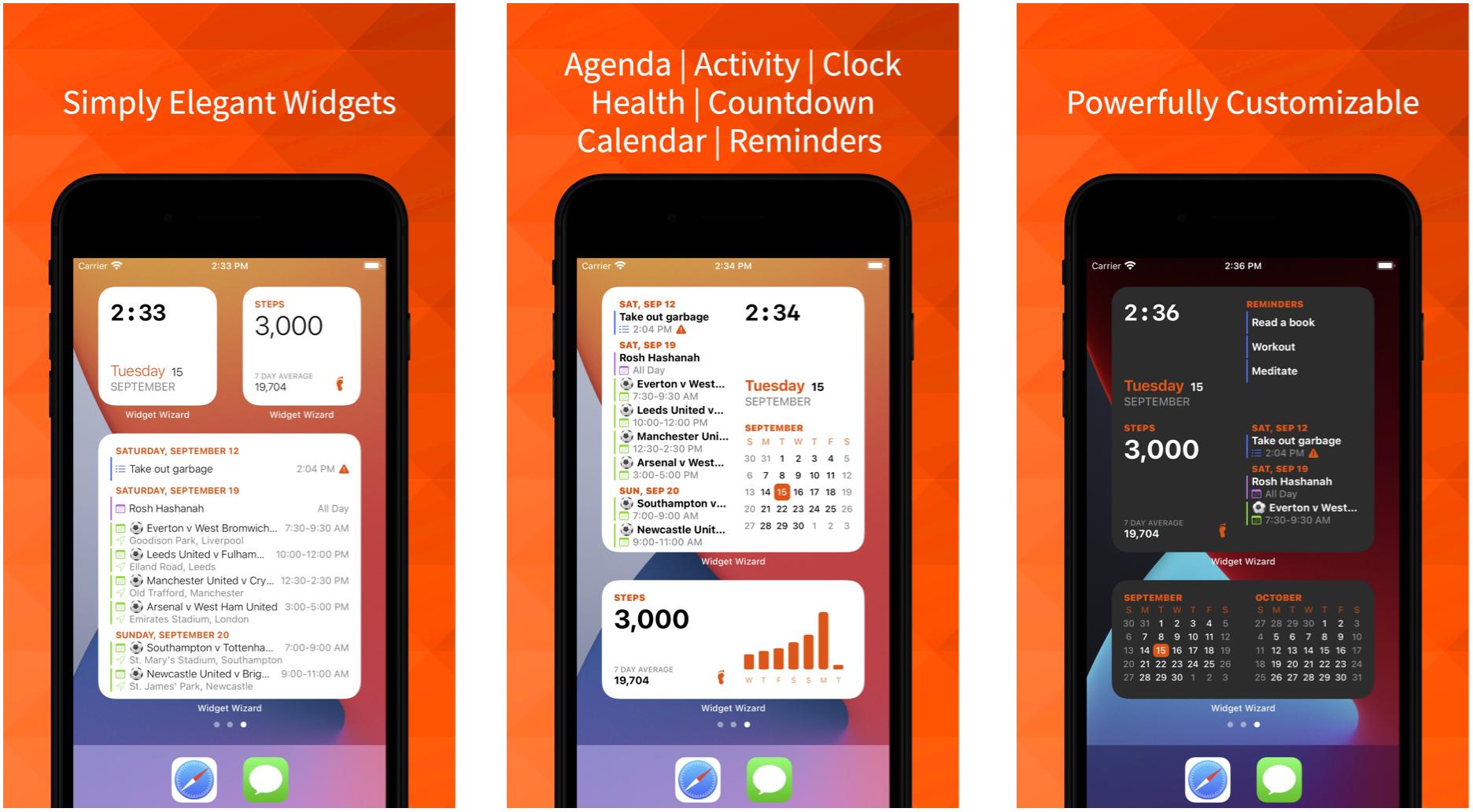
Want to customize, but don't want something complicated? Then Widget Wizard could be for you. Widget Wizard allows you to create widget blocks that contain multiple functions, or you can keep it simple with one if you prefer. The data that Widget Wizard shows is comprehensive, and you can get both calendar events and reminders together, for example, and Health data includes over 35 options to display. The widgets that you make with Widget Wizard can also be fine-tuned with your choice of accent and background colors, your own fonts, and themes. It's easy to use, and no in-app purchases to worry about — the IAPs listed are merely tips for the developer.

Widget Wizard

$2 at App Store

Widget Wizard makes it super easy to create sleek widgets with several bits of data and your own style.

Add some aesthetic to your Home screen

Thanks to iOS 14, widget making apps is an entirely new beast. So far, these are the best apps to help you make widgets on iPhone that we've found on the App Store. What are you using to make your Home screen "aesthetic AF?" And if you are, you should dress up your iPhone with a matching case, just to be extra. Did we miss your favorite? Let us know in the comments.


from iMore - The #1 iPhone, iPad, and iPod touch blog https://ift.tt/32TnRsW
via IFTTT

Wednesday, 23 September 2020

Where Was the Battery at Tesla’s Battery Day?

Musk made some big promises at Tesla’s highly anticipated Battery Day. But a prototype never made an appearance, and it was unclear what Tesla had actually achieved.

from Feed: All Latest https://ift.tt/2ZYYnIT
via IFTTT

Here are Tesla’s biggest announcements from Battery Day

At Tesla’s Battery Day event, CEO Elon Musk made some big announcements: the company’s moves toward eliminating cobalt in its batteries, a new Plaid powertrain for the Model S that could get to speeds of 200 mph, and a new cathode plant to streamline its battery production. And, with the new battery technology, Musk has said Tesla will make a $25,000 car.

The socially-distanced outdoor event had Musk and other presenters addressing Tesla shareholders in parked cars, who honked their horns to indicate their approval of the speakers’ remarks— almost like a drive-in movie/shareholders meeting.

Here are the main takeaways from Tesla’s 2020 battery day:

Tabless battery cells will improve Teslas’ range

Tesla plans to manufacture its own...

Continue reading…


from The Verge - All Posts https://ift.tt/2RWuaFD
via IFTTT

Tesla to make EV battery cathodes without cobalt

Illustration by Alex Castro / The Verge

Tesla will make electric vehicle batteries with cobalt-free cathodes, it announced during its Battery Day event today. The announcement came as part of the company’s move to make batteries in-house instead of purchasing them. Musk didn’t give a timeline for going to a zero-cobalt battery.

Cobalt is the most expensive material used in batteries, so eliminating it from the mix was expected help to electric vehicles become as affordable as those that run on gas. Tesla now says it can make a $25,000 electric vehicle — $10,000 less than its cheapest model — because of the improvements it’s made to its batteries, including axing cobalt.

“It’s absolutely critical that we make cars that people can people can actually afford,” Musk said today....

Continue reading…


from The Verge - All Posts https://ift.tt/33Qx9Fl
via IFTTT

Tesla: 'Model S Plaid will achieve the best track time of any production vehicle ever' - Roadshow

The ultra-performance version of Tesla's electric sedan arrives next year with over 1,100 horsepower and more than 520 miles of range.

from CNET https://ift.tt/300q1oV
via IFTTT

Stimulus check: Eligibility, fine print, income limit and how the first direct payment may impact the next relief bill - CNET

While the IRS could still send a second $1,200 check this year, some big questions remain as to how it'll be authorized. The original CARES Act can offer clues about what a second round of payments would look like.

from CNET https://ift.tt/32SQLsZ
via IFTTT