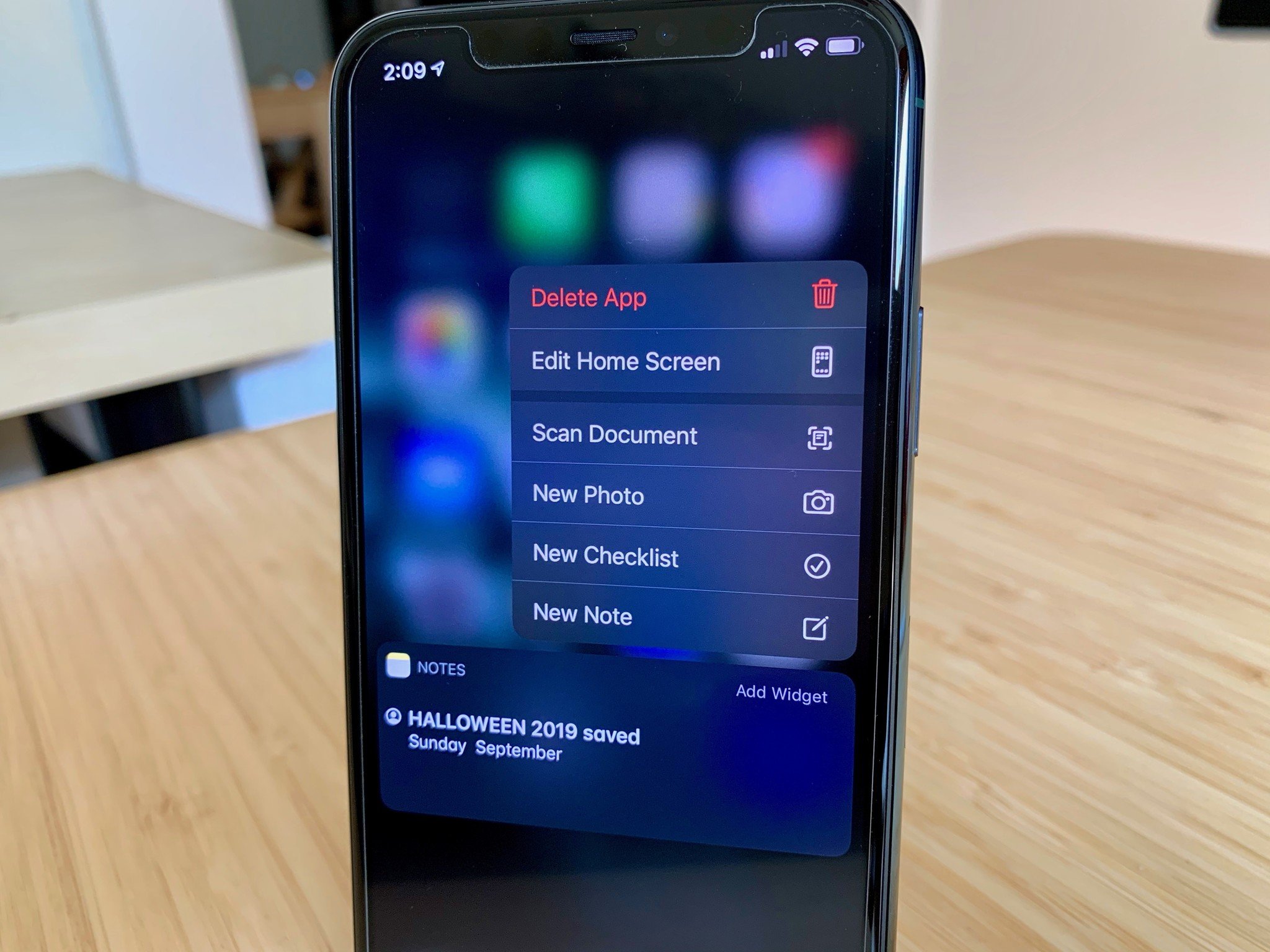
Pressing and holding on an app prompts a couple of different option, including deleting an app.
As of iOS 13.2, the method for deleting an app has changed across the board. It's not exclusive to iPhones with 3D Touch. It's not only for the iPad Pro. If you've installed iOS 13.2 (or iPadOS 13.2), no matter what device you're using, there's a different method for deleting apps.
Note: You must be running iOS 13.2 in order to see the "delete" option on an app icon. Otherwise, you can simply trigger jiggle mode to delete an app.
- How to delete one app at a time on iPhone and iPad
- How to delete multiple apps on iPhone and iPad (jiggle mode)
- How to move an app on your iPhone and iPad Home screen
- What to do if your motor skills make it difficult to delete an app
How to delete one app at a time on iPhone and iPad
Similar to how you'd enter "jiggle mode" on devices with 3D Touch in the past, the key is to rest your finger on an app (no need to press down hard) for about one second.
- Find the app you want to delete on your Home screen.
- Press and hold on the app icon for one second.
- Tap Delete App when the menu options appear.
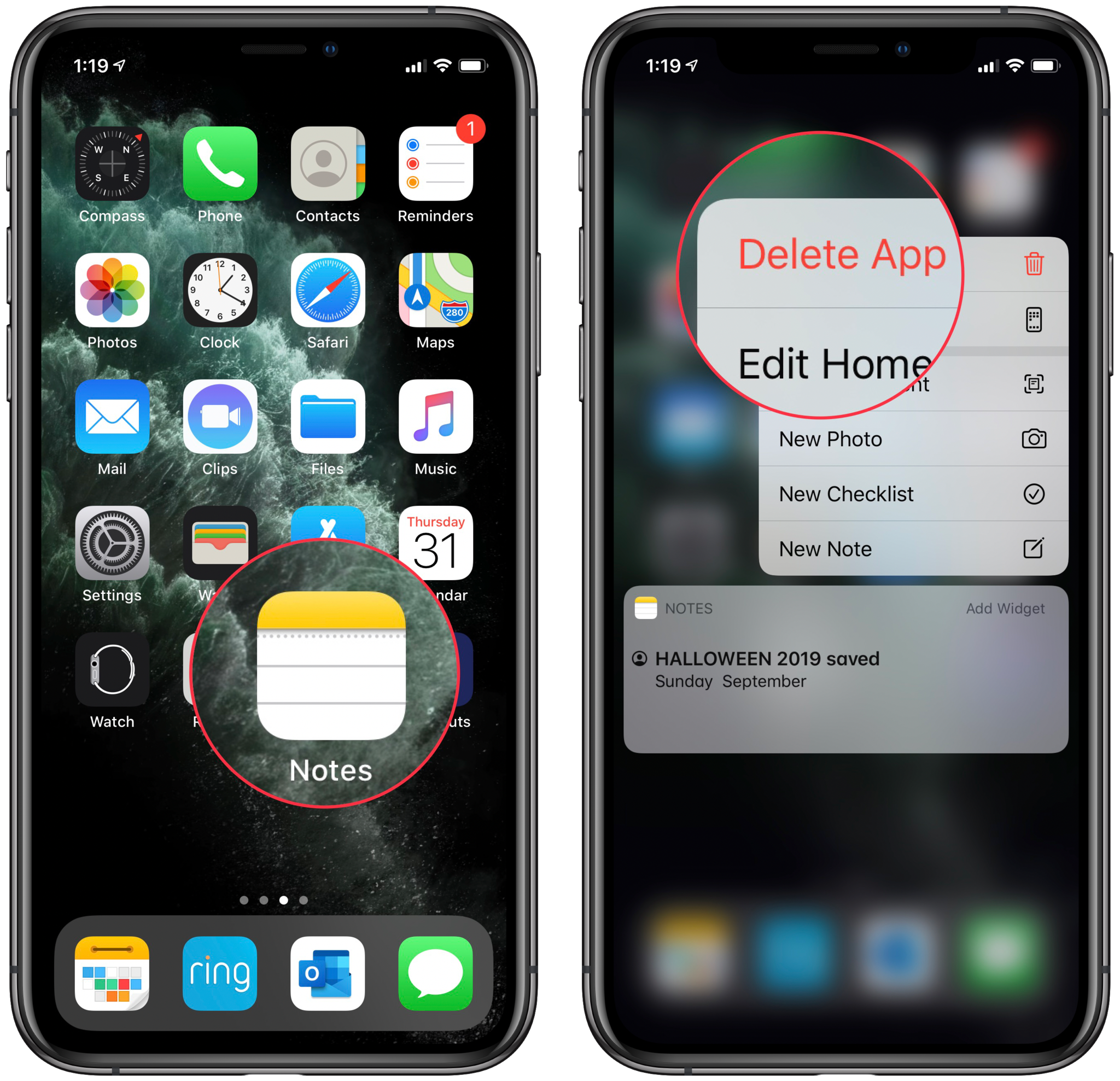
This will delete the single app. There is a way to delete multiple apps at the same time, too. Read on to find out how.
How to delete multiple apps on iPhone and iPad (jiggle mode)
Miss the good old days of "jiggle mode" on your Home screen? It's actually still there. You just have to be a little more patient.
- Select an app on your Home screen (it doesn't matter which one you select).
- Press and hold on the app icon for two seconds.
- Tap the X in the upper-left corner of each app icon you want to remove.
- Tap Done in the upper-right corner of your iPhone (or press the Home button on iPhones with one) when you're done.
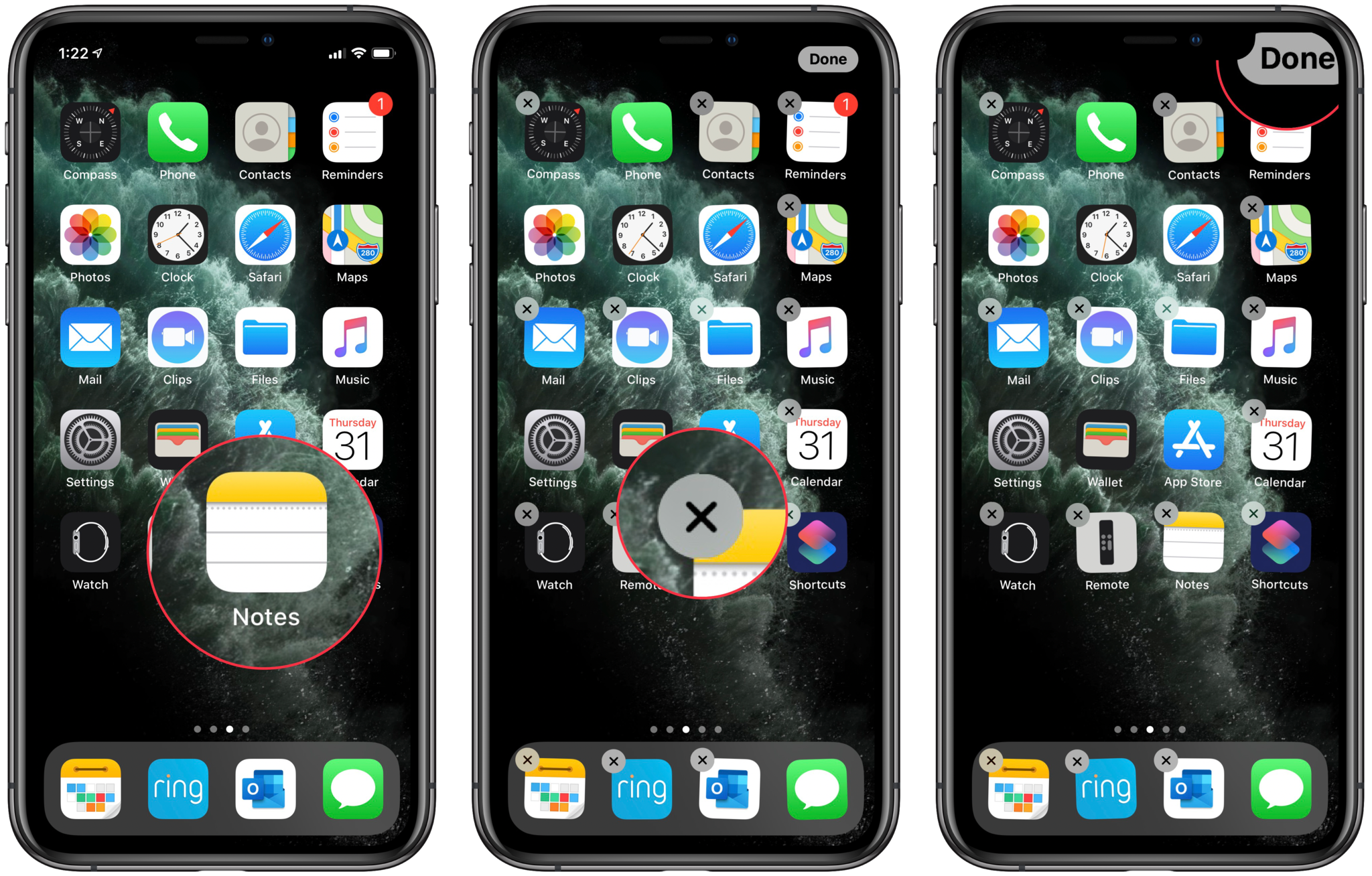
Ah, the warm, comforting familiarity of jiggle mode.
How to move an app on your iPhone and iPad Home screen
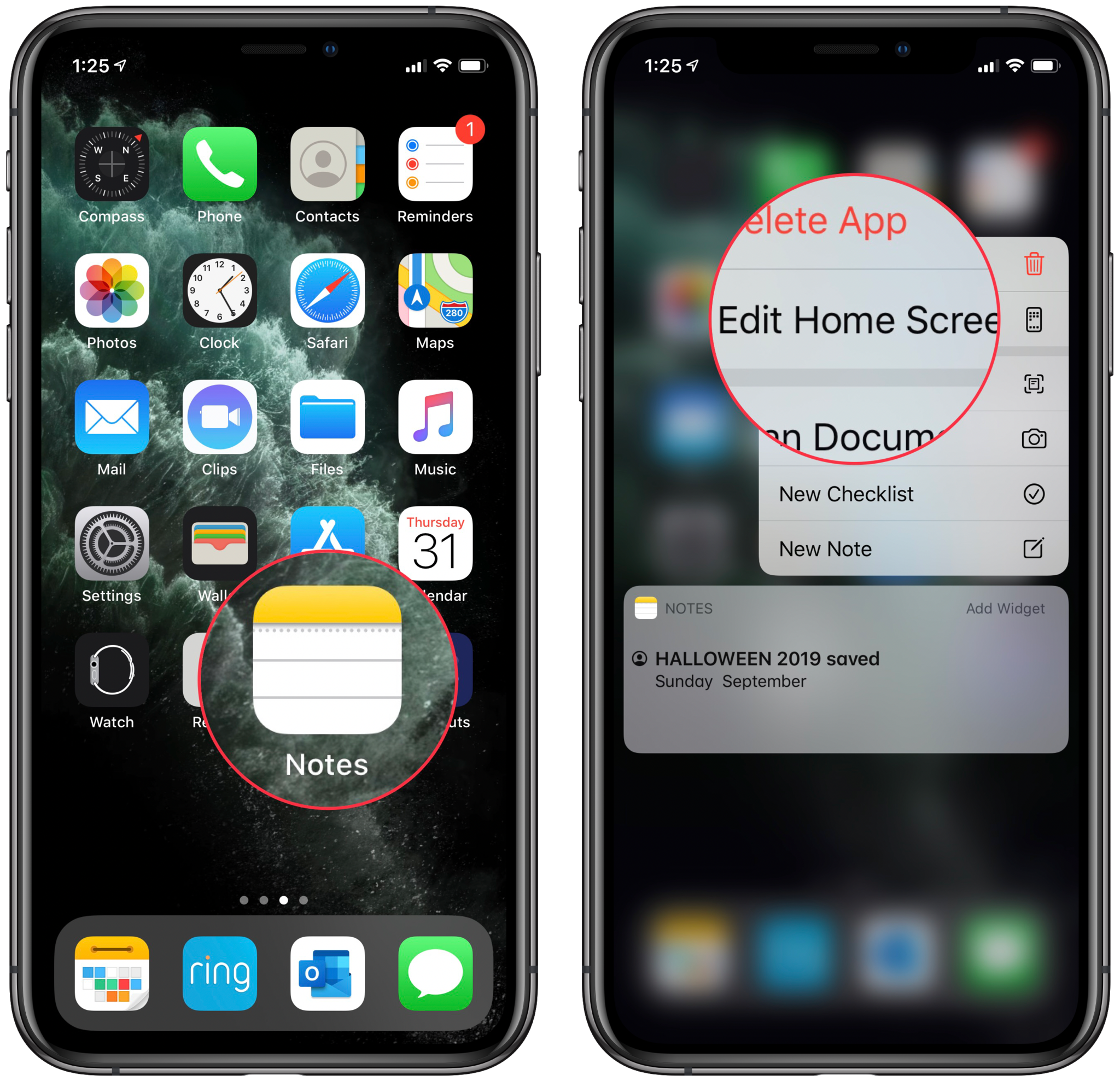
There are two ways to move apps around on the Home screen. You can either open the app icon menu or jump into jiggle mode.
- Select an app on your Home screen (it doesn't matter which one you select).
- Press and hold on the app icon for one second.
- Tap Edit Home Screen.
You'll now be back in that familiar jiggle mode interface, at which point you can move apps around to whichever page or folder you want. Just tap Done in the upper-right corner of your iPhone when you're done.
The faster way to get there, however, is simply to enter jiggle mode by pressing and holding an app for two seconds.
What to do if your motor skills make it difficult to delete an app
If you're unable to perform the gestures needed to trigger "jiggly" mode on your iPhone or iPad, you can delete them from the Settings app instead.
- Launch the Settings app on your iPhone or iPad.
- Tap General.
-
Tap [Device] Storage.
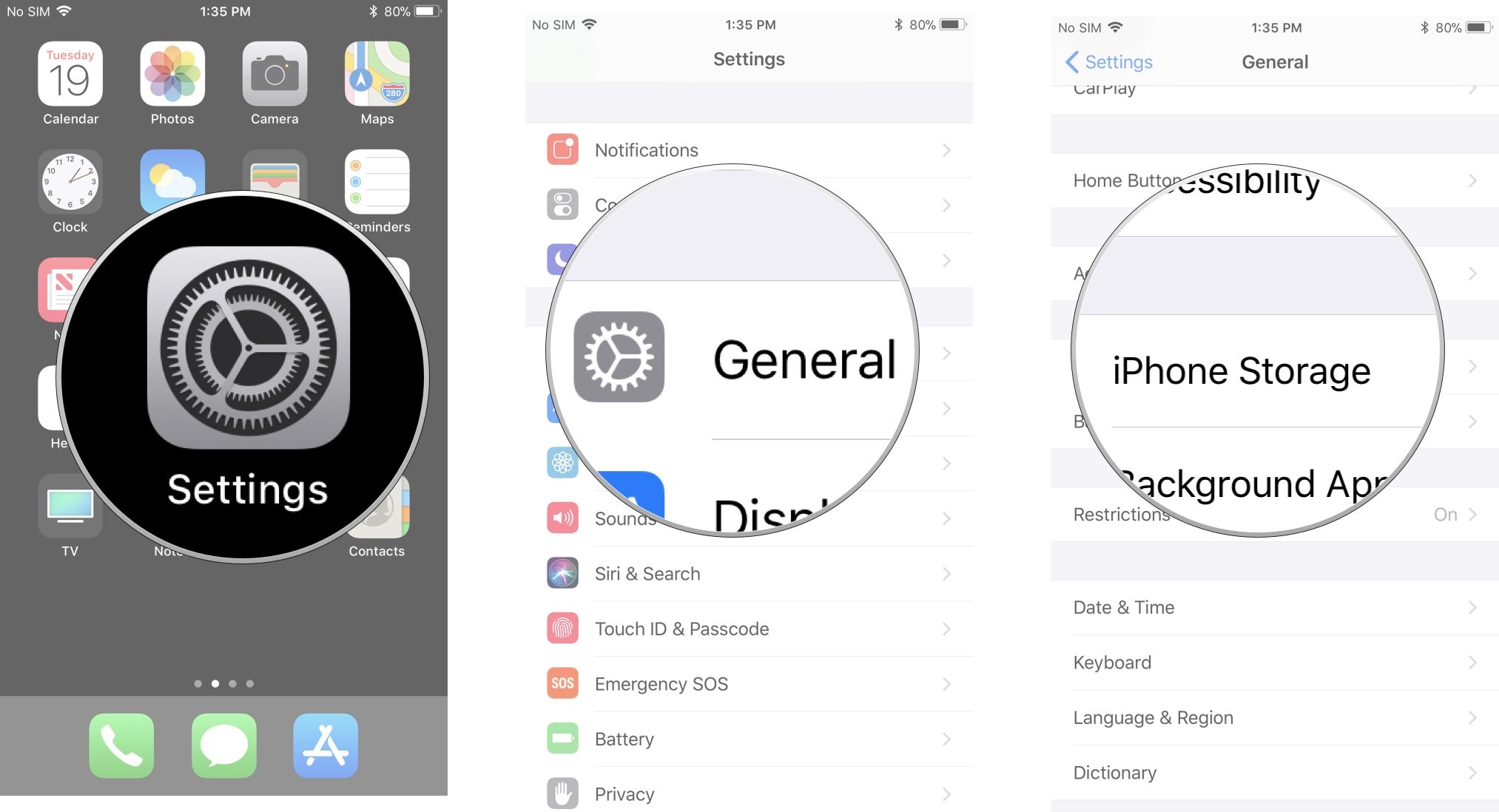
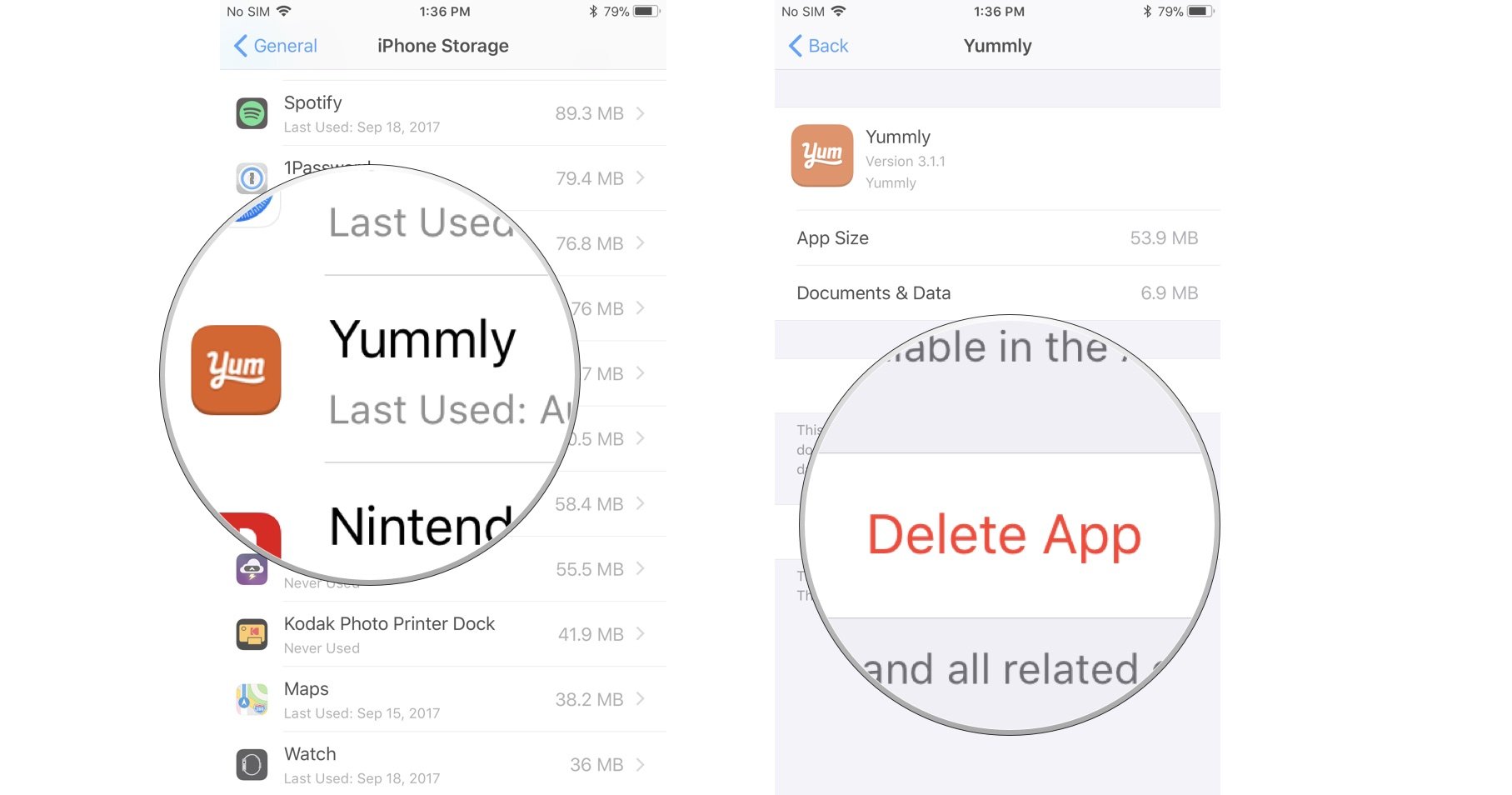
- Select the app you want to delete.
- Tap Delete app.
-
Tap Delete to confirm that you want to delete the app.
Any questions?
Do you have any questions about how to delete apps on your iPhone or iPad? Put them in the comments and we'll help you out.
Updated October 2019: Updated for iOS 13.

from iMore - The #1 iPhone, iPad, and iPod touch blog https://ift.tt/2J3SF1H
via IFTTT


